Ford F-150 Dashboard Symbols and Meanings: Complete Warning Light Guide
Ford F-150 Dashboard Symbols and Meanings: Complete Warning Light Guide
An unfamiliar dashboard light can be unsettling, especially when we are towing, carrying a load or driving far from home. With the Ford F-150, the right response depends on the symbol, its colour, the message beside it and whether the truck feels different.
This guide explains common Ford F-150 dashboard symbols and meanings with representative images and practical actions. We cover urgent warnings, engine and braking systems, four-wheel-drive indicators, driver assistance and lighting. We also explain the additional considerations for PowerBoost, older diesel versions and F-150 Lightning.
Equipment varies by model year, market, trim and powertrain. A conventional petrol F-150, a PowerBoost hybrid and a Lightning do not have identical warning systems. Match the illustration and wording to the handbook for your exact truck; the images are recognition aids rather than a promise of identical artwork on every cluster.
Colour helps us assess a warning quickly, but the message and symptoms provide the important detail. A red seat-belt reminder and red oil pressure are not equivalent, and flashing stability control does not mean the same thing as a flashing check-engine light.
Display
Typical meaning
Recommended response
Red
Urgent condition or safety reminder
Identify immediately; stop safely for serious mechanical, electrical or braking warnings.
Amber or yellow
Fault, disabled assistance or attention needed
Read the message and assess symptoms before continuing.
Green or white
Normal operating status or availability
Confirm the function's actual state.
Blue
Usually high-beam headlights
Dip the lights when appropriate.
Flashing
Intervention, transition or fault pattern
Interpret the particular symbol and accompanying instruction.
Why Lights Appear Before Starting
Several lamps illuminate briefly when the ignition is switched on to check their operation. On an engine-equipped truck, the oil-pressure and battery lamps can remain on before starting because the engine is not yet producing oil pressure or charging the battery.
Pay attention to lights that remain on after the normal starting sequence, appear while driving or fail a check described in the handbook. On PowerBoost and Lightning, engine noise is not a reliable test of whether the vehicle is ready to move.
Red Warnings: When to Stop Safely
Engine Oil Pressure Warning
Urgency: Stop safely and switch off the engine.The oil-can symbol warns about low engine lubrication pressure. It is not the oil-life reminder, and a normal dipstick reading does not guarantee adequate pressure. This engine warning does not apply to a Lightning's electric propulsion system.Pull over safely and switch off. Check the level on level ground after the specified settling time, adding the correct oil only if needed. If the warning persists or the level is already correct, arrange recovery. Do not continue towing or repeatedly restart the engine to see whether the light disappears.
Coolant Temperature Warning
Urgency: Stop safely and follow the exact overheating instruction.The thermometer symbol or high-temperature message indicates excessive temperature in the relevant cooling system. On engine versions, overheating can involve a coolant leak, cooling-system fault or severe operating conditions.Stop safely and follow the handbook, including switching the vehicle off where instructed. Keep clear of steam and never open a hot coolant cap. Electric models also have cooling systems, but their warnings should not be treated as conventional engine faults. Recurring overheating or visible leakage requires assistance.
Brake System Warning Light
Urgency: Check the parking brake; stop if the warning remains.The red brake symbol or BRAKE wording can indicate an applied parking brake, low fluid or a brake-system problem. If it remains illuminated after the parking brake is fully released, take it seriously.Stop safely and assess pedal feel. A soft pedal, excessive travel, fluid leakage or reduced stopping performance makes further driving unsafe. Arrange recovery when braking is in doubt. Do not assume topping up brake fluid resolves why it became low, especially before towing a trailer.
Battery or 12-Volt Charging Warning
Urgency: Find a safe stopping place and arrange inspection.The battery-shaped lamp indicates a charging or low-voltage supply problem while the vehicle is operating. Conventional engine models and electrified F-150s use different electrical arrangements, so the symbol does not automatically diagnose a failed alternator.Switch off unnecessary electrical loads while reaching a safe place. Continued operation can discharge the 12-volt battery and affect other systems. This warning is separate from a Lightning's remaining driving-battery charge. Seek assistance rather than assuming a new battery or an external charge will repair the underlying fault.
Airbag and Restraint Warning
Urgency: Arrange prompt diagnosis.The seated-person-and-airbag symbol relates to the supplemental restraint system. A persistent warning, unexpected flashing or a failed self-check can mean protection is reduced in a collision.The truck may feel normal to drive despite the problem. Have it inspected rather than probing airbag wiring or disturbing connectors as a trial repair. A passenger-airbag status indication is different from the main restraint-system malfunction lamp.
Seat Belt Reminder
Urgency: Secure occupants before moving.The belt symbol and chime remind us that a monitored occupant may not be correctly restrained. Check each occupied seat and any rear-seat status display fitted to the truck.Heavy objects can affect passenger-seat detection. Secure them elsewhere, but never bypass the warning with a buckle insert. If the reminder continues with belts properly fastened, have the buckle or occupancy system checked.
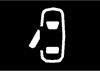
Door, Hood or Tailgate Ajar Warning
Urgency: Stop safely and secure the indicated opening.An open-door graphic or a hood or tailgate message identifies an opening that is not fully latched. The cluster may show separate graphics for different closures.Pull over before checking. An unsecured hood needs immediate attention because it can obstruct visibility. Confirm that cargo does not interfere with the tailgate latch. If everything is securely closed but the warning remains, a latch switch or related circuit may need inspection.
Engine, Brake and Tire Warning Symbols
Check Engine Light or Service Engine Soon
Urgency: Arrange diagnosis; treat flashing as urgent.The engine-shaped lamp means the onboard diagnostic system has detected a monitored emissions or engine-control malfunction. It does not tell us which part needs replacement. An emissions warning is different from a scheduled maintenance reminder.With a steady lamp and otherwise normal operation, gentle travel to a nearby repairer may be possible. Avoid heavy loads and hard acceleration until assessed. Flashing can indicate misfire and damaging exhaust temperatures: reduce load and obtain immediate service. Stop safely and seek recovery if the engine shakes, overheats, loses substantial power or smells strongly of fuel.
Wrench or Powertrain Warning
Urgency: Read the message and arrange prompt inspection.The wrench or spanner indicates a powertrain or, on applicable models, four-wheel-drive service requirement. It is not automatically an oil-change reminder. The underlying issue may involve control systems, propulsion or drivetrain components.If the wrench and check-engine lamps appear together while the engine is running, stop safely and follow the handbook; continued driving can lead to reduced power or shutdown. Severe shifting problems or an inability to maintain a safe speed also require a stop. A diagnostic scan must identify the cause before parts are replaced.
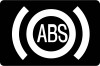
ABS Warning Light
Urgency: Drive cautiously only if normal braking remains available.The amber ABS warning means anti-lock braking may not operate correctly. Conventional braking can remain available, but wheels may lock during hard braking, particularly on slippery surfaces.Increase following distance and arrange inspection. If the red brake warning also appears or pedal feel changes, stop safely and get assistance. Do not test ABS by deliberately braking hard on the road, especially with a trailer attached.
Electric Parking Brake Malfunction
Urgency: Have a persistent warning inspected.The yellow parking-brake fault symbol is different from the normal indication that the parking brake is applied. It can appear with a message explaining that the system needs service.Ensure the truck is securely stopped and follow the displayed instructions. Do not force it to move against a brake that will not release. If it cannot be parked securely or the brake remains applied, arrange assistance. Repeatedly operating the switch is not a repair.
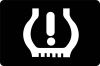
Low Tire Pressure and TPMS Warning
Urgency: Check tire condition and cold pressures promptly.The tire-shaped outline with an exclamation mark generally indicates underinflation. Stop safely if a tire looks flat, the truck pulls or vibration develops. A flashing-then-steady pattern can indicate a monitoring-system malfunction.Check all road tires with a gauge and use the vehicle's Tire and Loading Information label for the fitted tires and specified loading. The maximum pressure printed on a tire sidewall is not the truck's recommended setting. A dashboard reset cannot repair a puncture or faulty sensor. Trailer tires require separate checks even if a monitoring accessory is fitted.
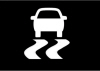
Stability and Traction-Control Indicator
Urgency: Ease off if flashing; inspect if steadily illuminated.The skidding-vehicle symbol can flash when stability or traction control intervenes. This often means grip is limited, so reduce speed smoothly and avoid abrupt steering or acceleration.A persistent light outside the normal check can indicate a fault. Some related assistance functions may be limited. Arrange inspection and allow extra margin in poor conditions. Stability control cannot correct excessive speed, worn tires or an improperly loaded trailer.
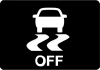
Stability or Traction Control OFF
Urgency: Check the selected driving settings.An OFF indicator shows that assistance has been disabled or reduced. Driving modes and the way a switch was operated can affect exactly which functions remain available.Restore the appropriate assistance for normal road driving. If the indication appears unexpectedly with other warnings, investigate the combination rather than repeatedly pressing the button. Switching a system off does not fix its fault.
Low Fuel Warning
Urgency: Refuel soon.The fuel-pump symbol identifies a low fuel level on engine-equipped F-150s. Remaining range depends on terrain, speed, load and recent consumption, particularly when towing.Do not rely on a fixed number of miles after the lamp appears. PowerBoost still needs fuel for normal operation even when its hybrid battery has charge. Use the specified fuel. A Lightning uses different energy-level and charging displays rather than this engine-fuel warning.
Low Washer Fluid Warning
Urgency: Refill before visibility becomes a problem.The windshield-and-spray symbol means the washer reservoir is low on equipped versions. Use suitable washer fluid with freeze protection where needed.Identify the correct reservoir before filling. Washer fluid must not enter the coolant or brake-fluid systems. Repeated rapid loss or a warning that remains after refilling may indicate a leak or level-sensor fault.
Four-Wheel-Drive and Off-Road Indicators
2H: Two-Wheel-Drive High Range
Urgency: Normal drivetrain status.The 2H indication identifies two-wheel-drive high range on applicable trucks. It is a normal selection for many ordinary road conditions and does not mean four-wheel drive is broken.Use the switching instructions for the exact transfer case. Moving the selector is not proof that a requested change has completed; check the display and any message before applying heavy acceleration.
4H: Four-Wheel-Drive High Range
Urgency: Normal when selected for suitable conditions.The 4H indicator confirms high-range four-wheel drive. On part-time systems, use is intended for appropriate low-traction surfaces. Locked four-wheel drive on dry, high-grip pavement can cause driveline binding.Do not transfer instructions from a 4A-equipped truck to a different transfer case. Follow the permitted shift conditions. A flashing indication may mean engagement is in progress or not complete, so read the displayed instruction.
4L: Four-Wheel-Drive Low Range
Urgency: Normal low-speed off-road status.The 4L symbol means low-range gearing is engaged. It provides torque multiplication and control for suitable difficult terrain, not normal highway driving.Entering or leaving low range requires the correct speed and transmission conditions. Do not force a shift or accelerate hard to make a flashing lamp settle. If the mode will not engage after the specified procedure, arrange assessment.
4A: Automatic Four-Wheel Drive
Urgency: Normal status on equipped versions.The 4A mode automatically manages drive distribution according to conditions on trucks equipped with the appropriate system. It is distinct from 4H and 4L and is not offered on every F-150.Use it within the handbook's operating limits. A service or unavailable message still needs attention even if the selected mode remains visible. Lightning's electric all-wheel-drive arrangement should not be assumed to use the same transfer-case modes as a conventional F-150.
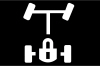
Electronic Locking Differential Indicator
Urgency: Normal when intentionally engaged.The axle-and-lock symbol confirms operation of the electronic locking differential where fitted. Locking changes how the axle's wheels can rotate relative to one another to improve traction in suitable conditions.Observe speed, surface and engagement restrictions. Flashing or an unavailable message can mean the requested lock has not engaged. Use the appropriate setting when returning to normal road driving and investigate persistent engagement problems.
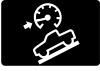
Hill Descent Control Indicator
Urgency: Check operating status and remain ready to brake.The vehicle-on-a-slope symbol identifies hill descent control on equipped versions. An enabled function may not be actively controlling speed until its operating conditions are satisfied.Choose an appropriate speed and maintain steering control. Follow any temperature or unavailable message and use the recommended driving technique. The indicator does not guarantee that every slope can be descended safely.
Driver-Assistance and Convenience Symbols
Auto Hold Indicator
Urgency: Confirm whether the brakes are actually holding.Auto Hold can maintain braking after the truck stops when its conditions are met. Standby, active and unavailable states can use different indicators.Keep control with the brake pedal if uncertain. Auto Hold does not replace the correct parking procedure: select the appropriate transmission position and apply the parking brake before leaving. Follow any instruction to press the brake and have persistent faults checked.
Pre-Collision Assist Warning
Urgency: Read the message and assume assistance may be limited.A collision-assistance indication may report a disabled or unavailable function, while an imminent-collision alert requires immediate attention to traffic. These are different situations.Maintain responsibility for braking and following distance. Check accessible camera and sensor areas for dirt or ice when safely parked. Weather or obstruction can limit operation, but cleaning will not resolve every malfunction. Never test automatic braking by intentionally approaching an obstacle.
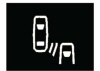
Blind Spot Information System Indicator
Urgency: Check surroundings directly before changing lanes.A cluster indication can describe disabled or unavailable blind-spot monitoring. Mirror lamps provide separate alerts about detected traffic. Trailer-related coverage depends on the fitted equipment and correct setup.Use mirrors and direct observations rather than treating an unlit warning as proof a lane is clear. Read any sensor-blocked message and arrange inspection if warnings persist after the recommended checks.
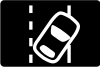
Lane-Keeping Indicator
Urgency: Check status and maintain steering control.Lane graphics identify availability, lane detection, intervention or a limitation. Their colours and layout vary with cluster and assistance-system generation.Poor markings, glare, rain and roadworks can reduce performance. Keep attention on the road and follow any request to take control. A continuing malfunction message needs diagnosis, while an inactive graphic in unsuitable conditions is not automatically a hardware failure.
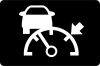
Cruise Control and Adaptive Cruise Indicator
Urgency: Normal status unless accompanied by a warning.Cruise indicators distinguish a system that is switched on from one actively maintaining speed. Adaptive cruise can also show following-distance or detected-vehicle information on equipped trucks.Confirm the set speed and remain ready to brake. Conventional cruise does not automatically maintain distance from traffic ahead. An unavailable or service message requires its own response, particularly when camera or radar limitations affect multiple features.
Auto-Start-Stop Indicator
Urgency: Usually normal system information.The circular-arrow A symbol identifies automatic engine stopping or its availability on equipped engine models. Battery condition, temperature and climate-control demand can prevent an automatic stop without a fault.Read any manual-restart prompt. PowerBoost engine cycling is part of hybrid operation and should not be interpreted solely through conventional stop-start expectations. Switch the truck off correctly before leaving; a temporarily stopped engine can restart.
Lighting Indicators That Normally Do Not Mean a Fault
High-Beam Indicator
Urgency: Normal status; avoid dazzling other drivers.The blue headlamp symbol means high beams are illuminated, including when the headlamp flasher is used.Dip them for approaching traffic and when following closely enough to cause glare. Automatic lighting does not remove the need to monitor the actual beam and intervene.
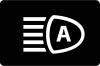
Automatic High-Beam Indicator
Urgency: Check that automatic lighting suits the conditions.The headlamp-with-A symbol indicates automatic high-beam status. The blue high-beam lamp separately confirms whether the high beams are actually illuminated.Fog, rain, dirty glass and unusual lighting can affect detection. Use manual control when needed. A lighting-system fault message is different from the ordinary enabled indicator.
Exterior Lamps On Indicator
Urgency: Normal lighting status.The outward-facing lamps symbol confirms the relevant exterior-lighting setting. It should not be confused with a headlamp malfunction warning.A lit instrument panel alone does not prove that headlights and rear lights are operating appropriately. Check the switch and actual lights when entering darkness or poor visibility.
Front Fog Lamp Indicator
Urgency: Normal status on equipped trucks.The fog-lamp symbol confirms that the front fog lights are switched on. Use them when conditions and local rules permit.The indicator does not prove both lamps are physically working. Inspect the exterior lights while parked if illumination seems uneven or visibility is poor.
Turn Signal and Hazard Indicators
Urgency: Normal flashing; inspect an unusual pattern.The green arrows flash with the direction indicators and usually flash together with the hazards. A faster flash, steady arrow or missing indication can suggest a lamp or circuit issue.Check the truck and connected trailer lights while parked. Hazard lights warn other road users but do not make an unsafe stopping place safe.
PowerBoost and F-150 Lightning Warning Messages
Stop Safely Now
A stop-safely warning on applicable electrified versions can indicate an electrical or propulsion fault that may cause shutdown or limited operation. This is not a message to postpone until the next routine service.
Move to a safe stopping location, secure the truck and follow the exact displayed instructions. Arrange assistance rather than repeatedly restarting to continue the journey. Do not touch orange high-voltage wiring or open battery components. Smoke or other signs of an immediate hazard require moving away from the vehicle and contacting emergency services.
Ready to Drive and Reduced Power
A ready-to-drive indication means an electrified F-150 can move even when there is no engine noise. On PowerBoost, the petrol engine can start and stop automatically as operating conditions change.
A Lightning's power availability can be limited by battery charge, temperature or a fault. Read the message rather than assuming every reduction is a failed battery. If the truck cannot accelerate safely in traffic, stop and seek assistance. Before leaving, select Park, apply the parking brake and switch the vehicle off correctly.
Lightning Charging and Pro Power Onboard Alerts
A Lightning charging indication describes the connection or session state. A connected cable does not always mean charging is underway: a schedule, limit or interruption may explain it. Follow the charging display and inspect only the user-accessible connections permitted by the handbook.
Pro Power Onboard can display its own outlet or load-related messages. Read the specific instruction before resetting anything, remove inappropriate loads as directed and never bypass protective devices. An outlet warning is not automatically the same as a propulsion-system failure. PowerBoost is not a plug-in hybrid, so Lightning charging instructions do not apply to it.
Towing, Transmission and Older Diesel Warnings
Tow/Haul and Trailer Brake Messages
Tow/Haul normally identifies a selected driving mode rather than a transmission fault. It changes relevant operating strategies on equipped trucks; it does not increase the vehicle's rated towing capacity.
A trailer-disconnected, trailer-brake fault or wiring message needs a different response. Stop safely and check the permitted connector and wiring points. Do not continue towing on the assumption that trailer brakes or lights remain available. Correct trailer loading, tire pressures and mechanical condition still matter even when no warning is present.
A transmission-overtemperature message means the transmission needs a safe response and cooling according to the exact instruction. Do not automatically assume that every version requires either idling or switching off; follow the specified procedure. Severe slipping, unreliable engagement or a burning smell requires assistance.
A steering-loss or stop-safely message also takes priority over an ordinary service reminder. Reduce speed smoothly and stop safely if assistance is lost. Repeated restart attempts are not evidence that steering or transmission hardware is repaired.
Diesel-Specific Indicators
Older F-150 Power Stroke diesel versions can have preheat, diesel exhaust fluid and exhaust-filter messages absent from petrol, PowerBoost and Lightning trucks. AdBlue/DEF belongs in its dedicated tank, never in the fuel filler.
Follow an emissions-system countdown or filter-cleaning instruction exactly. A fluid-quality or system fault may not clear after topping up, and a DPF service warning is not permission for an improvised high-speed or stationary regeneration. Exhaust temperatures can be extremely high during regeneration.
What to Do When Multiple Warning Lights Appear
Prioritize control and the most urgent message. Oil pressure, overheating, serious braking problems and stop-safely instructions matter more than the number of lamps illuminated. Once parked, photograph the display and record changes in steering, braking, acceleration or shifting.
One voltage, sensor or communication fault can affect several systems, but we should not assume the battery explains every combination. A suitable diagnostic scan may need multiple control modules. Preserve codes rather than disconnecting the battery or erasing information before inspection. Reset a maintenance reminder only after the required work has been completed.
Conclusion: Match the Symbol to the Correct Response
Understanding Ford F-150 dashboard symbols helps us distinguish normal operation from a problem needing immediate action. Serious oil, temperature, charging and brake warnings deserve a safe stop. Other alerts need timely diagnosis, while drivetrain selections and lighting indicators often simply confirm an active function.
Use the symbol, message and driving symptoms together, and match the instructions to the exact powertrain. When safe operation is uncertain, arrange professional help rather than trying to clear the warning and continue.
Frequently Asked Questions
1. What does the wrench light mean on a Ford F-150?
It generally identifies a powertrain or related drivetrain service requirement, not a routine oil-change reminder. Read the message and arrange diagnosis. Stop safely if it accompanies major power loss, abnormal shifting or another serious warning.
2. Can we drive with the F-150 check engine light on?
A steady lamp with normal operation may allow gentle travel to a nearby workshop. Flashing can indicate misfire and needs immediate attention. Stop and obtain assistance if the engine runs roughly, overheats or loses substantial power.
3. Why are the 4H or 4L lights flashing?
They can flash while a mode change is underway or when engagement has not completed. Follow the correct switching conditions for the transfer case. Persistent flashing or a service message requires assessment rather than forcing the shift.
4. Does Stop Safely Now mean we should stop driving?
Yes. Move to a safe stopping place, secure the vehicle and follow the displayed instructions. On applicable electrified F-150s, the warning can precede shutdown or restricted operation. Arrange assistance instead of restarting repeatedly to continue.
5. How do we reset Ford F-150 warning lights?
Resolve the underlying condition first. Normal reminders can clear after the correct action, while faults require diagnosis and repair. Oil-life and maintenance reminders have separate reset procedures. Clearing codes without repairing the cause can erase useful evidence and leave the problem unresolved.
























 Ford F-150 Oil Capacity: Complete Engine and Model-Year Guide
 Nissan Kicks Warning Lights: Complete Dashboard Guide
Leave a Reply