
Buick Encore Dashboard Symbols: Complete Warning Light Guide

An unfamiliar dashboard light can make an ordinary drive feel uncertain. Does the Buick Encore need an immediate stop, a workshop appointment or simply a different switch setting? We can usually narrow it down by checking the symbol, its color, whether it flashes and the message in the Driver Information Center.
This Buick Encore dashboard symbols guide explains the main warning lights and indicators with representative images and practical actions. We cover engine and brake warnings, StabiliTrak, tire pressure, occupant protection, driver assistance and normal lighting displays.
This guide focuses on the original North American Buick Encore. The Encore GX is a separate model, not simply an Encore trim level, and its equipment and displays can differ. Model year and options also matter. Use the illustrations as recognition aids and follow the handbook supplied with your exact vehicle. A symbol may appear as a message or gauge indication rather than a separate lamp on some versions.
- Buick Encore Warning Light Colors Explained
- Urgent Engine and Brake Warnings
- Occupant Safety and Security Indicators
- Check Engine, ABS and Tire Pressure Warnings
- StabiliTrak and Traction-Control Symbols
- Driver-Assistance and Cruise Indicators
- Lighting Indicators That Normally Are Not Faults
- Important Encore Messages Without a Dedicated Warning Lamp
- What to Do When Several Buick Encore Lights Come On
- Encore Versus Encore GX: Why the Correct Manual Matters
- Conclusion: Read the Symbol, the Message and the Symptoms
- Frequently Asked Questions
Buick Encore Warning Light Colors Explained
Color helps us judge urgency, but it cannot identify the complete problem. A red seat belt reminder differs from a red oil-pressure warning, while a green vehicle-ahead indicator can be normal.
| Appearance | Typical meaning | What to do |
|---|---|---|
| Red warning | Urgent condition or safety reminder | Identify immediately and stop safely for serious engine or braking warnings. |
| Amber or yellow | Fault, disabled feature or attention needed | Read the message and assess symptoms. |
| Green or white | System available, selected or operating | Check the function's status; a repair is often unnecessary. |
| Blue | High-beam headlights | Dip the lights when appropriate. |
| Flashing | Active intervention or a particular warning pattern | Interpret the individual symbol rather than flashing alone. |
Why Lights Appear Before Starting
Several warning lamps illuminate briefly when the vehicle is switched on so that their operation can be checked. The oil-pressure and charging lights can remain illuminated while the engine is stopped because it is not producing oil pressure or charging the battery.
You might be interested in this content. Buick Encore Key Fob Battery Replacement: Complete DIY Guide
A lamp that remains on after the normal starting sequence, appears during a journey or fails its specified self-check needs attention. Do not assume every lamp uses the same timing. Read the information display when safely parked instead of scrolling through messages while moving.
Urgent Engine and Brake Warnings
Engine Oil Pressure Warning
 | Urgency: Stop safely and switch off the engine.The oil-can symbol indicates that oil may not be flowing through the engine at the required pressure. It is not the oil-life percentage or an oil-change reminder. A correct dipstick level does not guarantee adequate lubrication pressure.Pull over safely and switch off. Check the oil level on level ground after allowing it to settle as instructed. Add the specified oil only if necessary. If the level is correct or the warning persists, arrange recovery. Do not continue driving or repeatedly restart the engine to see whether the lamp clears. |
Engine Coolant Temperature Warning or Hot Gauge
 | Urgency: Stop safely if overheating is indicated.The thermometer symbol is a recognition aid for an overheating condition. Your Encore may communicate the problem through its temperature gauge and an information-display message rather than a dedicated warning lamp.Turn off the air conditioning and reach a safe stopping place. If steam or coolant is escaping, switch off the engine and keep clear until it cools. Never open a hot coolant cap. Follow the handbook's overheating procedure and arrange help if leakage is visible or the temperature remains excessive. A brief drop in the gauge is not proof the fault has been repaired. |
Brake System Warning Light
 | Urgency: Check the parking brake; stop if the warning remains.The red BRAKE wording or brake symbol can illuminate with the parking brake applied. If it stays on after release or appears while driving, a brake-system problem needs immediate assessment.Stop carefully in a safe place. If the pedal feels soft, takes more travel, requires unusual force or the vehicle takes longer to stop, do not continue. Arrange recovery. Low fluid needs investigation; repeatedly topping up the reservoir can leave a leak or other problem unresolved. A brake warning together with ABS requires particular caution. |
Battery and Charging System Warning
 | Urgency: Stop safely and arrange electrical-system inspection.The battery-shaped lamp while the engine is running indicates a charging-system problem. The alternator, drive belt, wiring or connections may be involved. The symbol does not automatically mean the battery itself needs replacement.Switch off unnecessary electrical loads while reaching a nearby safe stopping place. The vehicle can use up the remaining battery charge and eventually stall. Seek assistance, especially if other systems begin malfunctioning or temperature rises. Any visual belt check must be performed with the engine off and only when safe. |
Occupant Safety and Security Indicators
Airbag Readiness Warning
 | Urgency: Have the restraint system inspected promptly.The seated-person-and-airbag symbol belongs to the supplemental restraint system. It should complete the self-check described in the handbook. Staying on, appearing while driving or failing to illuminate during its check can indicate a problem.The vehicle may drive normally while airbags or seat belt pretensioners may not operate correctly in a crash. Arrange diagnosis rather than disturbing connectors beneath seats or probing airbag wiring. This lamp is separate from the passenger airbag ON/OFF status display. |
Seat Belt Reminder
 | Urgency: Secure occupants before continuing.The seat belt symbol and chime remind us that a monitored occupant may not be properly restrained. Check the driver and passenger belts and make sure everyone is seated correctly.A bag or other object on the passenger seat can affect the reminder. Move loose items to secure storage, but never use a buckle insert to bypass the system. If the reminder persists with the belt correctly fastened, have the buckle or passenger-sensing system checked. |
Passenger Airbag OFF Indicator
 | Urgency: Confirm that the status matches the occupant.The passenger airbag status display can show OFF when the passenger-sensing system has deactivated the front passenger frontal airbag. This is different from a general airbag malfunction warning.Follow the handbook's child-restraint and seating guidance. If OFF appears unexpectedly for a properly seated adult, have the system assessed and use another suitable seating position in the meantime. Do not add cushions or rearrange objects simply to force a preferred lamp state. The ON and OFF indicators may illuminate briefly during their normal check. |
Security or Immobilizer Warning
 | Urgency: Check starting behavior and any accompanying message.A security indication can be part of the normal theft-deterrent system operation. A warning that remains unexpectedly, particularly when the engine will not start, may mean the vehicle has not recognized the key or that the immobilizer needs attention.Use the correct transmitter and try the spare if available. Follow the handbook's backup starting procedure for a weak transmitter battery. Do not assume replacing the coin cell will resolve every no-start condition. Persistent key-recognition problems require diagnosis. |
Check Engine, ABS and Tire Pressure Warnings
Check Engine Light: Steady or Flashing
 | Urgency: Arrange diagnosis; flashing needs immediate attention.The engine-shaped malfunction lamp means the vehicle's diagnostic system has detected an emissions-related problem. Causes vary, and the symbol cannot tell us which part needs replacement. A steady lamp may occur with normal driving behavior, but it should still be investigated.If flashing, reduce speed and avoid hard acceleration, steep demands and heavy loads. A misfire can damage the emissions system. Stop safely if the engine shakes, loses substantial power, overheats or smells strongly of fuel. If flashing continues, follow the handbook and arrange service rather than trying to complete the journey.With a steady light, normal temperature and smooth running, gentle travel to a nearby workshop may be reasonable. Check the fuel-filler closure as applicable to the exact model, but do not assume that every engine warning is a loose-cap problem. A scan provides fault information; it is not an automatic instruction to replace the named sensor. |
Anti-Lock Braking System Warning
 | Urgency: Arrange prompt inspection.The ABS lamp indicates that anti-lock braking may not function normally. If the regular brake warning is off and braking feels normal, conventional braking can remain available, but wheel locking is more likely during hard braking.Allow extra following distance and avoid abrupt maneuvers. ABS together with the red brake warning is a more serious combination: stop safely and get assistance. Do not test the system by braking aggressively on the road. A wheel-speed sensor is one possible cause, but the lamp alone cannot diagnose it. |
Tire Pressure Monitoring System Warning
 | Urgency: Check tire condition and cold pressures.The tire-shaped outline with an exclamation mark usually means one or more tires are significantly underinflated. Stop safely before continuing if a tire looks flat, the vehicle pulls or vibration develops.Check all road tires with a reliable gauge and use the cold pressures printed on the vehicle's Tire and Loading Information label. The maximum pressure on a tire sidewall is not the recommended setting for the Encore. Cold weather can lower pressure, but repeated loss still needs investigation.A warning that flashes for a period and then remains on can indicate a TPMS malfunction. Correcting inflation will not repair a failed sensor. Likewise, a sensor relearn procedure is different from fixing a puncture; do not reset or relearn the system as a substitute for checking the tires. |
Low Fuel Warning
 | Urgency: Refuel as soon as practical.The fuel-pump symbol warns that the remaining fuel is low. The fuel gauge and estimated range provide additional context, but neither guarantees a fixed driving distance after the warning appears.Traffic, hills and driving style can change how far the vehicle will travel. Avoid intentionally running the tank extremely low. Use the fuel specified for the engine and investigate a warning that remains after a confirmed refill rather than relying on the gauge alone. |
StabiliTrak and Traction-Control Symbols
Traction Control and StabiliTrak Indicator
 | Urgency: Ease off if flashing; investigate a persistent light.The skidding-car symbol can flash when traction control or StabiliTrak intervenes. This usually means wheel slip or a stability correction is occurring. Reduce speed smoothly and avoid abrupt steering or accelerator inputs.A steady warning can indicate that traction or stability assistance is unavailable because of a fault. Check for a service message and arrange diagnosis. Normal driving behavior does not prove the system is working. StabiliTrak cannot compensate for worn tires, excessive speed or unsuitable road conditions. |
Traction Control OFF Indicator
 | Urgency: Restore traction assistance for normal driving.The traction-off indicator means traction control has been disabled. On the Encore, switching off traction control and switching off both traction control and StabiliTrak are different actions, so the lights should be read together.For ordinary road use, restore the appropriate assistance using the handbook procedure. There are limited situations where temporary deactivation can help, such as getting unstuck, but leaving it off reduces assistance against wheelspin. If the indicator stays on unexpectedly, inspect the system rather than repeatedly operating the switch. |
StabiliTrak OFF Indicator
 | Urgency: Check whether stability control was intentionally disabled.The StabiliTrak OFF symbol identifies a disabled stability-control state. On applicable Encore models, turning StabiliTrak off also turns traction control off, so both OFF indicators can appear together.Re-enable the systems for normal driving. An OFF indication after deliberate switch operation is different from a service-StabiliTrak message. If the message accompanies a check-engine warning, rough running or other faults, diagnose the combination. Replacing a stability-system component without checking the stored codes can miss the actual cause. |
Driver-Assistance and Cruise Indicators
Lane Departure Warning Indicator
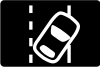 | Urgency: Watch lane position and maintain steering control.On equipped original Encore models, the lane-departure indicator shows green when the system is available to warn about an unintended departure. It can flash amber when the vehicle crosses a detected marking without the appropriate turn signal.This warning feature should not be assumed to steer the Encore back into its lane. Poor markings, glare, rain and a blocked camera view can reduce detection. Keep control of the vehicle and read any malfunction or unavailable message. An absent lane indication does not prove the road position is safe. |
Vehicle Ahead Indicator and Forward Collision Alert
 | Urgency: Monitor the road and maintain a safe gap.The vehicle-ahead symbol on equipped models is normally green when the system detects a vehicle ahead. A more urgent collision alert can involve additional flashing red warnings and audible alerts.Increase following distance smoothly when needed and brake as the situation requires. The original Encore's Forward Collision Alert should not be assumed to provide automatic emergency braking. Weather, dirt and difficult visibility can limit detection. We remain responsible for watching traffic even when the green symbol confirms a target is detected. |
Cruise Control Indicator
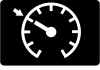 | Urgency: Usually normal operating status.The cruise-control symbol distinguishes the feature being switched on from actively maintaining a selected speed. On applicable Encore clusters, white indicates that cruise is on and ready, while green indicates that a speed is set.Confirm the selected speed and remain ready to brake. Conventional cruise control does not automatically maintain distance from slower traffic. Do not confuse it with adaptive cruise equipment described in an Encore GX or another Buick manual. An ordinary enabled indicator does not require a repair. |
Lighting Indicators That Normally Are Not Faults
High-Beam Headlight Indicator
 | Urgency: Normal lighting status; avoid dazzling others.The blue headlamp symbol confirms that high beams are illuminated, including when using the headlamp flasher.Switch to low beams for approaching traffic and when following closely enough to cause glare. The symbol is not an engine warning. If lighting seems incorrect, check the stalk position and the actual exterior lamps while safely parked. |
Lamps-On Reminder
 | Urgency: Normal exterior-lighting status.The lamps-on symbol indicates that the exterior lamps are switched on under the relevant conditions. It is separate from the blue high-beam indicator.A bright dashboard alone is not reliable proof that all required exterior lights are operating. Confirm the lighting setting when entering darkness, heavy rain or fog. Daytime running lights do not replace correct nighttime lighting. |
Front Fog Light Indicator, Where Equipped
 | Urgency: Normal status when the lamps are selected.The front-fog symbol confirms that the fog lamps are switched on on versions equipped with them. Not every Encore has the same lighting equipment.Use fog lamps when conditions and local rules permit. The indicator does not prove that both exterior lamps physically work. Inspect them while parked if illumination appears uneven or visibility seems inadequate. |
Turn Signal and Hazard Indicators
 | Urgency: Normal flashing; investigate an unusual pattern.The green arrows flash with the turn signals and normally flash together when the hazard warning lights are activated. They confirm the selected signaling function.An unusually fast flash, an arrow that stays lit or a missing indication can point to a lamp or circuit issue. Check the exterior signals when parked and arrange repair. Hazard lights warn other drivers but do not make an unsafe stopping location safe. |
Important Encore Messages Without a Dedicated Warning Lamp
Engine Power Is Reduced
This message means available performance has been limited. Several engine-control or related faults can cause it, so it is not a reliable diagnosis of a turbocharger, throttle body or transmission problem by itself.
Avoid demanding acceleration and assess whether the vehicle can move safely with traffic. Stop and arrange assistance if power is severely restricted, the engine runs roughly or serious warning lights appear. Record the message and any other symptoms for diagnosis rather than repeatedly restarting to continue.
Service StabiliTrak, AWD or Steering Messages
Multiple systems share information. An engine, voltage or sensor fault can cause several assistance messages, but we should not assume that one particular sensor explains every combination.
On an AWD-equipped Encore, a disabled or service-AWD message means we should not assume normal all-wheel-drive assistance remains available. Reduce demands and arrange inspection. Steering-assist warnings accompanied by heavy or unpredictable steering require a safe stop. These messages may appear without a unique pictogram in the instrument cluster.
You might be interested in this content.Buick Encore Oil Capacity: Complete Model-Year GuideChange Engine Oil Soon Versus Low Oil Pressure
The oil-life display estimates when an oil service is due. It does not measure the amount of oil in the engine and should not be confused with the urgent oil-pressure warning.
Arrange the required oil and filter service, then reset the oil-life system using the correct procedure. Resetting it before service does not renew the oil. Check the dipstick as recommended between services, and treat a red oil-pressure warning as a separate urgent condition.
Door, Liftgate and Key Messages
An open-door or liftgate message means a monitored opening may not be securely latched. Stop safely and check the closure before continuing. A persistent message with the opening firmly closed may require latch-switch diagnosis.
A transmitter-not-detected or low-key-battery message requires the specified key procedure. The backup transmitter location differs between vehicles, so follow the Encore handbook rather than assuming another GM model uses the same location. A no-start condition can have several causes beyond the fob battery.
What to Do When Several Buick Encore Lights Come On
First, keep control and address the most urgent symptom. Low oil pressure, overheating, abnormal brakes, smoke or severe engine problems take priority over the number of lamps. Stop safely when necessary.
You might be interested in this content. Ford F-150 Bed Size Canada: Complete Box Dimensions Guide
Once parked, photograph the warnings and record whether the engine was running, what changed and whether the problem started after refueling, a battery issue or other work. A single fault can disable several interconnected systems, so several lamps do not necessarily mean several unrelated components failed.
A suitable diagnostic scan may need to access engine, ABS, restraint and body modules. A basic reader that reports no engine codes cannot rule out an ABS or airbag fault. Avoid disconnecting the battery or clearing codes before recording the evidence needed for diagnosis.
Encore Versus Encore GX: Why the Correct Manual Matters
The Encore GX has different equipment and can include indicators or assistance features not fitted to the original Encore. An online guide that combines both without labels can lead to incorrect assumptions about braking assistance, parking-brake operation or lane support.
Confirm the model name, year and installed equipment before following a reset procedure or interpreting an unfamiliar symbol. This guide's original-Encore focus is intentional; a GX owner should use the GX handbook for its additional systems and display states.
Conclusion: Read the Symbol, the Message and the Symptoms
Understanding Buick Encore dashboard symbols helps us react calmly and choose the right next step. Oil pressure, overheating and serious brake warnings deserve immediate action. Other lamps call for timely inspection, while many lighting and assistance indicators simply describe normal operation.
You might be interested in this content. Mazda 3 Dashboard Symbols
Combine the image with the information-display message and how the vehicle behaves. Use the handbook for the exact Encore, preserve useful fault information and arrange professional help whenever safe operation is uncertain.
Frequently Asked Questions
1. Can we drive a Buick Encore with the check-engine light on?
A steady lamp with normal running may allow gentle travel to a nearby workshop. A flashing lamp, rough running, overheating or substantial power loss requires urgent attention. Stop safely and seek help if the vehicle is running badly or flashing continues.
2. What does Service StabiliTrak mean on a Buick Encore?
It indicates that the stability-control system needs attention or may be unavailable. The cause can involve related engine, electrical or sensor information, so the message does not identify a single defective part. Have the stored faults diagnosed.
3. Why is the tire-pressure light still on after inflation?
A tire may still be underinflated, there may be a leak or the monitoring system may have a fault. Check every road tire cold against the vehicle label. Flashing followed by steady illumination can indicate a TPMS malfunction that adding air will not repair.
4. Is the green vehicle-ahead symbol a warning of a fault?
No. On equipped Encores, green normally means a vehicle ahead has been detected. More urgent collision alerts require immediate attention to traffic, but the ordinary green symbol is a status indication.
You might be interested in this content. Hyundai Kona Dashboard Symbols and Meanings: Complete Warning Light Guide
5. How do we reset Buick Encore warning lights?
Correct the underlying condition first. Normal reminders clear after the appropriate action, while faults need diagnosis and repair. The oil-life reminder has its own reset procedure after servicing. Clearing codes or disconnecting the battery is not a repair and can erase useful diagnostic information.
Leave a Reply